About this template
Production Planning & Capacity Calculation 2026/2027 is an editable template package for workshops, manufacturing companies, production managers, and small industrial businesses that need to consolidate production orders, resources, and capacity assessments. The package combines Word and PDF templates with an Excel workbook for planned order hours, weekly capacity, resource utilization, and deviations.
79 SEK – one-time purchase. No subscription. With a common structure for order IDs, resource IDs, and week codes, you can assess whether a planned week is overloaded and document decisions regarding rescheduling. It is a practical offline tool, not an ERP system, MES, or automated sequence optimizer.
Version 1.0 relevant for 2026/2027. The templates have been compared with current public guidance on employer planning and risk assessment responsibilities, including the Swedish Work Environment Authority's AFS 2023:1 and 2023:2. No official certification, formal specialist review of your specific production, or guarantee of delivery results is included.
What is included in the document package
| Document | Practical content | Format |
|---|---|---|
| Production Planning & Capacity Control – Routine | Governance document with purpose, roles, weekly process, capacity calculations, pre-decision checks, deviation management, and decision log. | Word + PDF |
| Production Order & Capacity Decision | Form for order details, standard time, resource, material, safety requirements, capacity assessment, decision, and follow-up. | Word + PDF |
| Separate user guide | Review of each Excel sheet, real calculation examples, step-by-step instructions, common errors, limitations, and archiving. | Word + PDF |
| Production Planning Working Sheet (English) | Supplementary English working document for Swedish operations; not a full translation of the main templates. | Word + PDF |
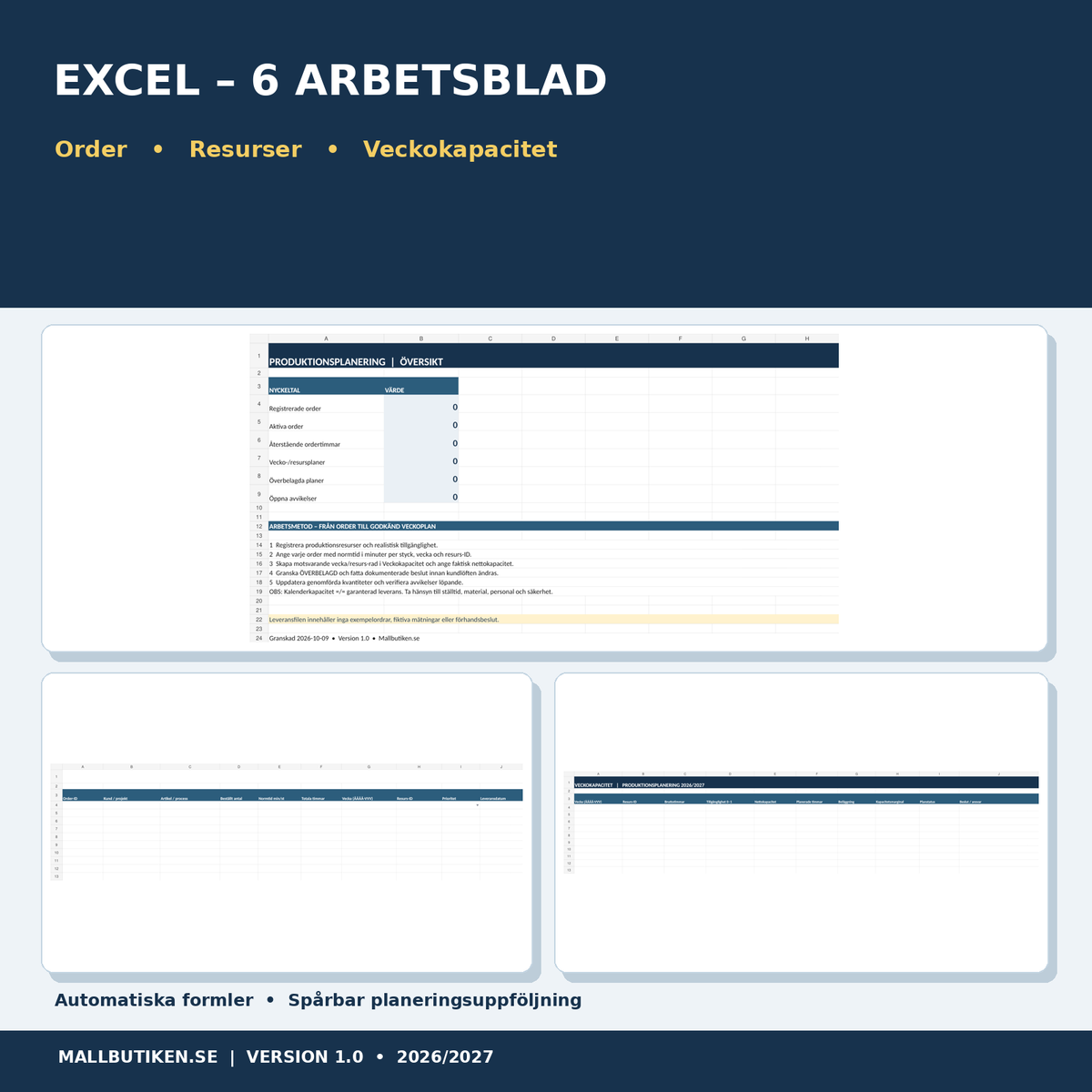
| Production Planning & Capacity in Excel | Six sheets with order register, resource details, weekly capacity, overload warnings, deviations, and overview. | Excel XLSX |
A total of 9 files in one combined ZIP package: four editable Word documents (DOCX), four searchable PDF documents in A4, and one Excel workbook (XLSX). Main language: Swedish, with a supplementary English working form.
Who is this template for?
Production managers who want to view planned hours per week and resource; workshops and smaller manufacturing companies planning based on standard times; process owners and supervisors who document bottlenecks, decisions, and rescheduling; as well as maintenance and quality functions that need a common order ID for follow-up.
Excel – six tabs with functional calculations
| Worksheet | Function |
|---|---|
| Overview | Automatic counts of orders, active orders, remaining order hours, weekly plan rows, overloads, and open deviations. |
| Resources | 40 pre-prepared rows for resource ID, type, person responsible, gross hours per week, availability in percent, and net hours. |
| Production Orders | 80 pre-prepared order rows with quantity, standard time in minutes per unit, total/remaining hours, week code, resource ID, status, and delivery date. |
| Weekly Capacity | 100 planning rows per combination of week and resource. Net capacity, remaining order load, utilization, and capacity margin are calculated automatically. |
| Deviations | 80 rows for obstacles, cause, consequence, responsibility, priority, action, date, status, and verification. |
| Instructions | Definitions, unit management, calculation examples, usage limits, and sources. |
Formulas use remaining quantity × standard time ÷ 60 for order hours and gross hours × availability for net capacity. The weekly resource load is summed only when the order's week code and resource ID match the capacity plan's code. Capacity rows display OVERLOADED when demand in calculated hours exceeds available net hours.
Illustrative example: An order of 80 items with a standard time of 15 minutes equals 20 total order hours. When 20 items have been produced, 15 hours remain. A resource with 32 gross hours and 75% availability has 24 net hours. In this example, that results in 62.5% utilization if no other orders are assigned to the same week and resource. The delivery file contains no fabricated real orders.
How to use the production planning package
- Collect facts. Identify production lines, machines, relevant standard times, and already decided delivery dates.
- Create resource IDs. Enter realistic weekly gross capacity and estimated availability percentage.
- Register production orders. Use a unique order ID, quantity, and standard time in minutes per unit. Enter the planned week in the format YYYY-WWW, for example, 2026-W042.
- Create a weekly plan. Add a row for the same week code and resource ID in the Weekly Capacity sheet, as well as the decided gross time and availability.
- Review calculations. Check net capacity, remaining planned hours, utilization, and any overload warnings.
- Decide on actions. In case of capacity conflicts: assess redistribution, new delivery dates, material, competence, safety, and actually possible extra capacity. Document decisions and customer communication.
- Update actual outcome. Report actual completed quantities and record deviations. Take versioned copies of approved plans.
Common mistakes
- Using different week codes or resource IDs in the order and capacity sheets – this prevents the load from matching correctly.
- Entering the standard time in hours even though the input field refers to minutes.
- Confusing gross working time with actual available production time.
- Forgetting setup time, maintenance, purchasing, personnel, and inspections that affect capacity.
- Marking an order as finished without simultaneously updating the actual quantity produced.
- Viewing a green utilization indicator as proof that the production's work environment and product requirements are fulfilled.
Production planning, work environment, and rules
There is no general Swedish legal requirement to use a specific Excel template for production planning. However, employers are responsible for planning and organizing work safely. AFS 2023:1 includes obligations to regularly examine and assess work environment risks, including before making changes. AFS 2023:2, Ch. 2 § 6 deals with the prevention of unhealthy work pressure and ensuring that resources are adapted to the requirements of the work.
Planned utilization is merely a production administrative metric. It cannot replace risk assessment, working time monitoring, individual competence assessment, or actual safety measures. Furthermore, the employer must comply with applicable collective agreements, working time regulations, product-specific requirements, and safe routines during operation and changes.
Frequently asked questions
Can Excel automatically calculate production capacity?
Yes, net capacity and weekly utilization are calculated when you enter gross hours, availability, and matching resource and week codes for orders. The real-world accuracy of the capacity is your responsibility.
Do I get a Gantt chart or automatic production sequencing?
No. This is not an optimization engine and does not contain automatic machine sequences or a Gantt system. The focus is on realistic weekly and resource capacity.
Can I handle multiple production lines?
Yes. Each line or resource is given a unique resource ID; a separate weekly capacity row is used for each relevant combination of week and resource.
Is cost and inventory planning included?
No, this package prioritizes capacity and case traceability. Full material requirements planning (MRP), inventory, and cost accounting are not included.
How many orders can I register?
The workbook has 80 prepared order rows, 40 resources, 100 weekly planning rows, and 80 deviation entries.
Is there an English version?
Yes, a supplementary English-language Production Planning Working Sheet is included. The main Swedish documents and the detailed guide are not fully translated.
Does the product work in Microsoft Excel?
Yes, XLSX is intended for modern Excel or compatible software. For the best results, a spreadsheet program with support for standard formulas and data validation is recommended.
Format, price, and digital delivery
One-time price 79 SEK. Delivered as a ZIP file with four Word files (DOCX), four searchable A4 PDFs, and an Excel workbook (XLSX). No physical shipping. Automatic digital customer delivery requires the ZIP file to be linked to the product variant in Shopify's Digital Products.
Official sources
- Swedish Work Environment Authority – AFS 2023:1, Systematic Work Environment Management
- Swedish Work Environment Authority – AFS 2023:2, Planning, organizing and workload
- Verksamt.se – Practical support for business
Related products
Complement your planning with Machine Register & Preventive Maintenance for service and operational reliability, or FMEA – Failure Mode and Effects Analysis for preventive risk analysis of processes.
Disclaimer: The product provides general planning support and does not constitute a legal, technical, or organization-specific specialist assessment. The results should always be verified against real resources, agreements, and applicable safety requirements.