About this template
Project Status Report Template 2026/2027 – weekly report, steering committee and Excel for project tracking
Do you need to write a clear project status report, weekly report, or project report for project managers, customers, or steering committees? This complete template package compiles the five most important report types for ongoing project tracking in a polished Word/PDF series and complements them with a practical Excel register.
Follow up on the project’s timeline, milestones, risks, issues, costs, decisions, and recovery actions. The documents are suitable for IT projects, business development, consulting assignments, marketing, smaller construction and civil engineering projects, and internal improvement work. Adapt the details according to the actual project, customer agreements, and decision-making procedures.
15 delivery files: 7 DOCX, 7 searchable PDF files, and 1 Excel workbook (XLSX) with nine tabs. The five main templates are in Swedish. Swedish and English user guides are included.
01. Package contents
- 7 editable Word documents (DOCX) – five Swedish main templates, one Swedish user guide, and one English User Guide.
- 7 searchable PDF files – the same documents in print and reference format.
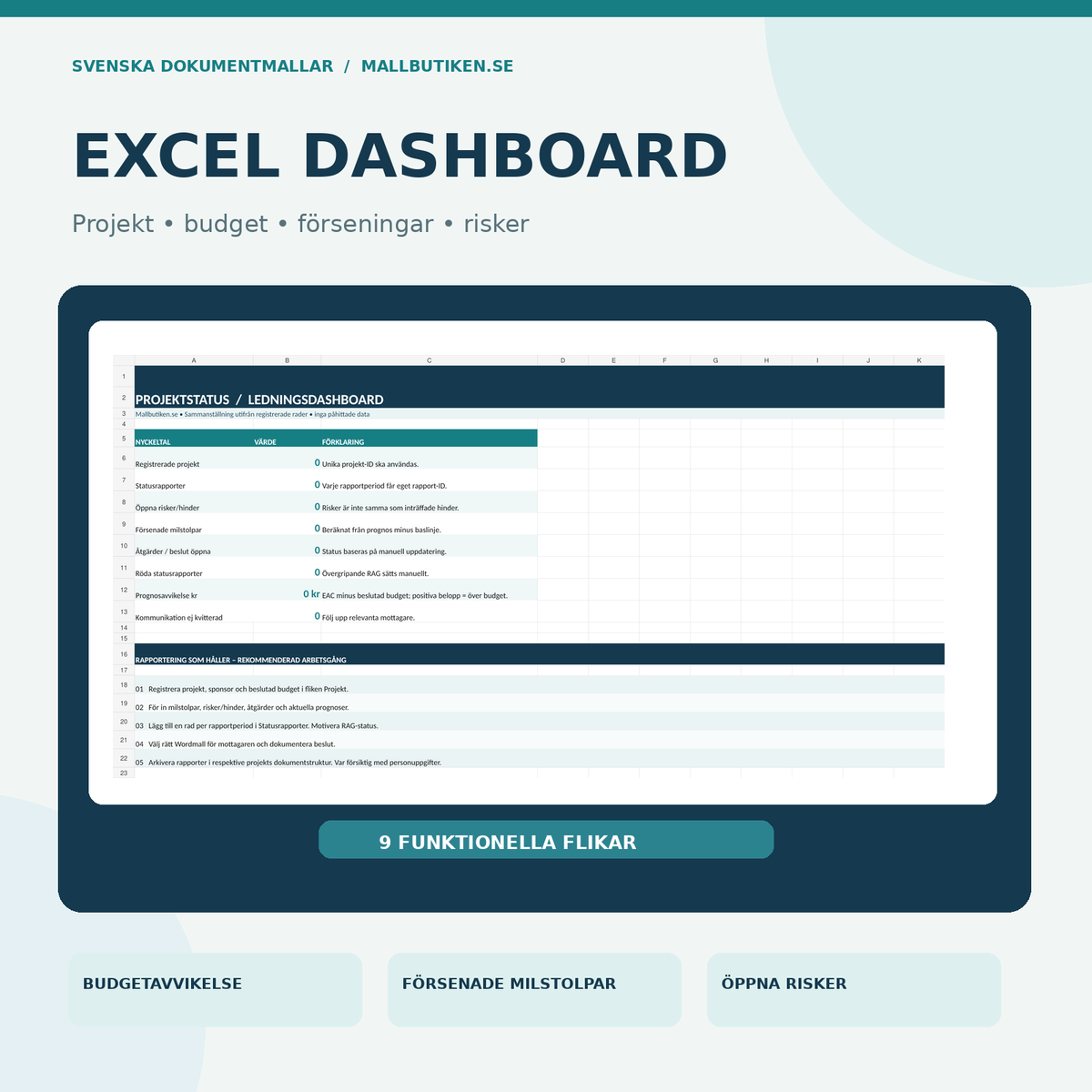
- 1 Excel workbook (XLSX) – nine tabs and a dashboard with eight formula-based KPIs.
- A total of 15 files and eight unique documents or tools, delivered digitally in a ZIP package.
Each Word document features two framed information boxes regarding the area of use and a pre-distribution checklist. The boxes are editorial support texts that can be kept internally or removed for external delivery.
02. What the files contain – document by document
| Document | What you get | Format |
|---|---|---|
| 01. Project status report | Detailed status report with RAG status, timeline, milestones, budget, risks, and escalation. | Word + PDF |
| 02. Project weekly report | Compact weekly follow-up of completed work, next steps, deviations, and decisions. | Word + PDF |
| 03. Steering committee report and decision support | Decision points, consequence options, approved baselines, and follow-up responsibility. | Word + PDF |
| 04. Deviation and recovery report | Factual description, root cause analysis, time/cost impact, actions, and closure criteria. | Word + PDF |
| 05. Milestone report and delivery check | Milestone vs. baseline, acceptance criteria, evidence, punch list, and approval. | Word + PDF |
| 06. User guide in Swedish | Ten steps, function of Excel tabs, terminology, quality control, and methodology sources. | Word + PDF |
| 07. English User Guide | English guidance for the Swedish main templates and Excel, without claims of translated main templates. | Word + PDF |
| 08. Project status register in Excel | Nine tabs and dashboard: projects, status reports, milestones, risks/issues, decisions, finances, and communication. | XLSX |
Language: The five main reports are in Swedish. A separate English User Guide is included, but the main reports have not been separately translated into English.
Excel for project tracking – nine tabs and KPIs
The Excel workbook contains the tabs Overview, Projects, Status Reports, Milestones, Risks & Issues, Actions & Decisions, Finances, Communication, and Read Me. Collect project reports in a traceable register and monitor project status over time.
The dashboard compiles eight KPIs: number of projects, status reports, open risks/issues, delayed milestones, open actions/decisions, red status reports, total budget deviation, and communication requiring follow-up. The default state is zero registered projects – no pre-filled project examples are included.
Features that have been verified: Automatic delay (max 0 or number of days between forecast and baseline date), risk score via probability × impact, as well as budget forecast and deviation. A control test resulted in a four-day delay, a risk score of 12, and a 5,000 SEK positive cost variance. The test data was not saved in the delivery file.
The finance tab has input fields for approved budget, actuals to date, and forecast for remaining costs. Forecast at completion = actuals + remaining forecast; deviation is displayed as forecast at completion minus approved budget. A positive variance thus indicates a forecast over budget. The formulas are administrative aids – they do not automatically calculate the project's critical path, liquidated damages, or complex earned value.
How to write a project status report – step by step
- Determine report recipients and period. A weekly report to the team may be shorter than a steering committee report or monthly customer report.
- Document the approved baseline. Save the decided end date, project budget, goals, and approved scope. Do not change old values without a documented decision.
- Gather factual evidence from the project plan, milestones, time reporting, cost actuals, delivery protocols, and risk register.
- Select RAG status – green, yellow, or red – and justify the schedule, finance, risk, and quality separately. The traffic light is a human assessment.
- Describe results during the period: what has actually been delivered, approved, and changed since the last report?
- Analyze deviations: distinguish between occurred issues and risks. Describe the consequence for budget, delivery, safety, or timeline.
- Assign responsibility for actions: specify owner, deadline, follow-up point, and what is required for the action to be completed.
- Update milestone and budget forecast: show deviations against the established baseline and disclose forecast assumptions.
- Prepare steering committee decisions: formulate the exact decision, possible options, consequence, and last decision date.
- Distribute and archive: document recipients, date, version, and any receipt confirmation; restrict sensitive information.
What should a good weekly report or project status report contain?
The Project Management Institute (PMI) emphasizes that status reporting should be scaled according to the project's size and target audience. A management report needs clear results, cost and schedule status, risks, issues, and decisions. A weekly report can summarize completed deliverables, the upcoming period, and the few issues that need to be escalated. The report should show relevant and comparable information, not just a list of activities.
The RAG colors help the recipient quickly identify deviations, but the colors must not replace an objective description of why a project is green, yellow, or red. An approved change to the budget or timeline should be traceable to a formal decision, and the original baseline should be reconstructible.
This package is a general work template for project management and reporting. It is not externally PMI/ISO certified, not an automated project financial system, and not a substitute for customer agreements, risk analyses, or binding decision-making processes. Adjust to your project's governance model, business requirements, documentation rules, and current personal data requirements. Source review: October 18, 2026.
Related document templates at Mallbutiken.se
- Project budget and cost tracking – for more detailed budget, actuals, and project calculation.
- Timesheet and time reporting – for actual time logging per activity and employee.
- Project handover and final control – for handover and completion.
- Project portfolio and resource planning – for prioritization across multiple projects.
Frequently asked questions about project status reports
What is a project status report?
A recurring report that shows the project's position against decided goals, primarily deliverables, timeline, budget, risks, and decisions that need to be made.
What differentiates a weekly report from a project status report?
The weekly report normally summarizes a short period and prioritizes events and next steps. The detailed report provides broader decision support to the sponsor, customer, or steering committee.
Is a steering committee template included?
Yes. A specific template summarizes deviations, options, decision proposals, owners, and follow-up.
Do the Word templates have fields for risks and deviations?
Yes. The base report includes risks and issues, and there is also a separate deviation and recovery report with root cause analysis and action plan.
Can Excel show if the project is over budget?
Yes, when the user enters the approved budget, actuals, and remaining forecast, Excel can calculate the forecast at completion and the deviation in currency and percent.
Is traffic light status calculated automatically?
No. Green, yellow, and red are manual assessments. This is intentional because the consequence of delays and risks must be assessed based on the project.
Are the main templates translated into English?
No. The five main templates are in Swedish. An English User Guide is included with instructions for use.
Are the documents PMI certified?
No. The material consists of independently developed document templates based on generally accepted project practices. No external PMI or ISO certification is claimed.
Sources and product version
- PMI – Project controls: A healthy pulse on your projects
- PMI – Project status meetings
- PMI – Project communication foundation
Svenska Dokumentmallar · Version 1.0 – 2026/2027 · Word (DOCX), searchable PDF and Excel (XLSX) · Digital ZIP package.