Svenska Dokumentmallar
AGI Reconciliation & Employer Declaration – Salary, Control & Excel | Word/PDF
AGI Reconciliation & Employer Declaration – Salary, Control & Excel | Word/PDF
- File format
- DOCX, PDF, XLSX
- Document language
- Swedish work templates and Swedish guide; separate English User Guide
- Number of files
- 7
Digital download. No physical product is shipped.
Couldn't load pickup availability
About this template
AGI Reconciliation & Employer Declaration – Salary and Control is a digital template package that helps Swedish companies, payroll administrators, and associations document checks of employer declarations at the individual level (AGI). Compare payroll journals, AGI drafts, and accounting entries, investigate differences, and distinguish internal certification from the Swedish Tax Agency's actual submission receipt.
Important limitation: The templates are a manual administrative aid, not an official employer declaration, payroll software, or tax calculator. The package does not determine tax rates, tax deductions, individual fields, social security, or correction methods, nor does it submit data to the Swedish Tax Agency.
01. Package Contents
15 files in ZIP: 7 editable Word documents (DOCX), 7 corresponding searchable PDF versions for printing, and 1 Excel workbook (XLSX) with nine tabs. Five operational Swedish templates, one Swedish user guide, and a separate English User Guide. The working templates are available only in Swedish.
02. What the Files Contain
AGI reconciliation protocol, manual employer basis, difference and correction investigation, payroll/period checklist, and certification with submission receipt. Excel compiles reporting periods, report comparisons, accounting reconciliation, control points, deviations, and manual statuses. No personal identity numbers or individual salary details need to be entered in the overall log.
Documents in the Template Package
| File | Function | Format |
|---|---|---|
| 01. AGI Reconciliation Protocol | Period, total amount, source report, differences, and control responsibility | Word + PDF |
| 02. Manual Employer Basis | Employer totals and reference to control in an authorized payroll system | Word + PDF |
| 03. Difference & Correction Investigation | Cause, original period, proposal, special correction conditions, and actual receipt | Word + PDF |
| 04. Payroll & Period Control | Payment month, salary types, benefits, deviations, and manual control questions | Word + PDF |
| 05. AGI Approval & Receipt | Certification before submission and separate documentation of the authority's receipt | Word + PDF |
| 06. Swedish User Guide | Step-by-step, rules, and secure information handling | Word + PDF |
| 07. English User Guide | English guidance for the Swedish working templates; not translated forms | Word + PDF |
| 08. Excel – AGI Control Register | Nine tabs: periods, totals, accounting, controls, deviations, certification, and overview | Excel / XLSX |
Excel: Nine Tabs with Formulas
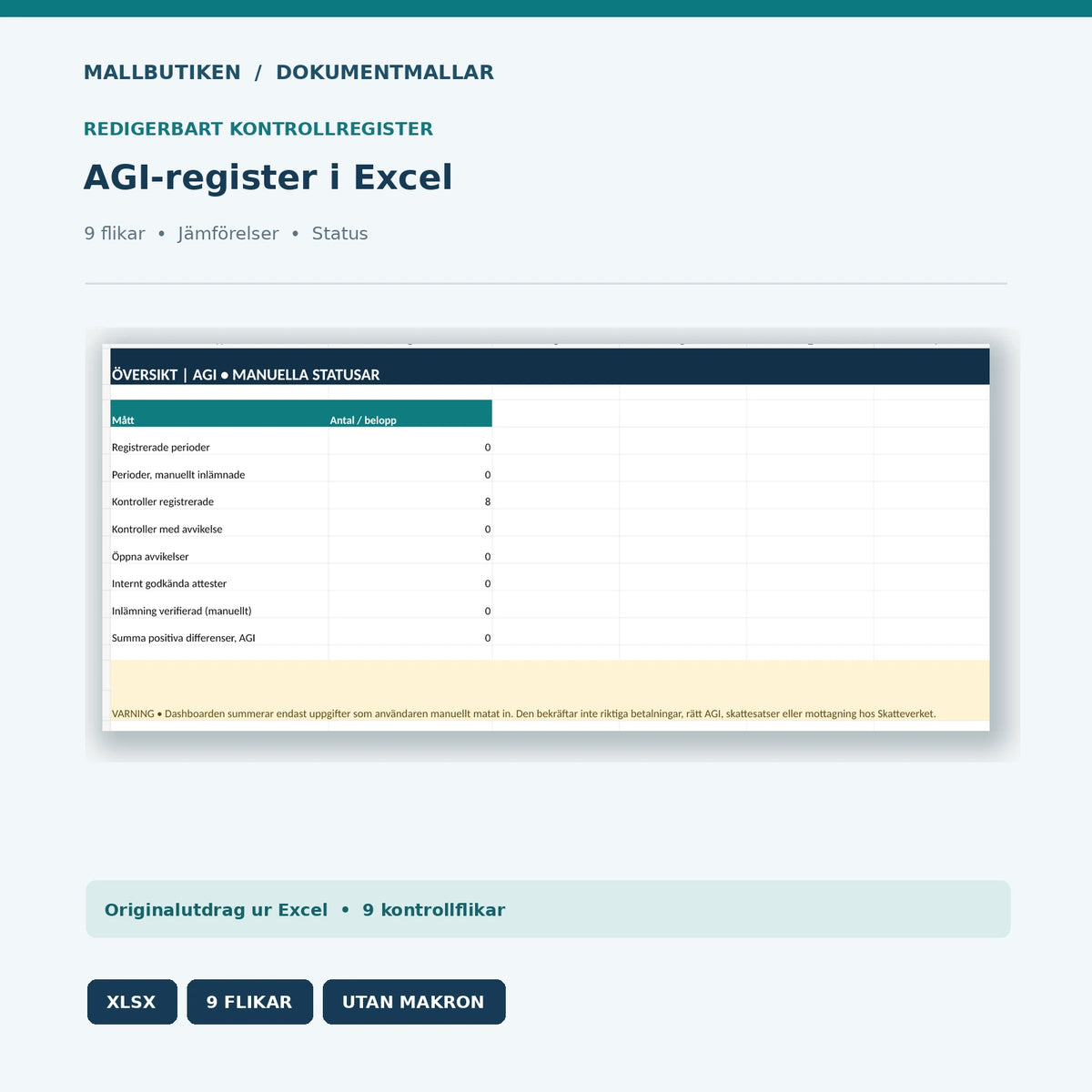
Start, Periods, AGI_Sums, Accounting, Controls, Deviations, Certification, Overview, and Las_mig. Excel calculates arithmetic differences between two manually entered numbers, including zero values. If comparison values are missing or are not numeric, the difference is left blank. The overview compiles manually specified periods, deviations, and statuses. There are no macros or direct links to the Swedish Tax Agency.
The workbook contains no payslips or individual data. To comply with data protection and confidentiality, the user should not enter personal identity numbers, personal salaries, or passwords in the shared control file. Control of individual data takes place in the organization's authorization-controlled payroll system.
How to Use the AGI Templates
- Determine the correct payment month and retrieve the current payroll journal and any AGI draft.
- Compare the employer's totals for compensation, tax deductions, and employer contributions against reports and accounting.
- Review individual data securely in an authorization-controlled system; use only internal case references in overall logs.
- Investigate deviations before submission, taking into account special rules for benefits, compensation types, fees, and corrections.
- Certify internally and save the Swedish Tax Agency's actual submission receipt separately after the authorized person has submitted the declaration.
Legal Starting Points and Important Exceptions
Swedish Tax Agency – Submit an Employer Declaration describes the monthly reporting and what information may need to be submitted at the employer and individual levels. Employers must check the correct reporting period, authorization, and due date for their circumstances. The packages therefore do not use a generally prefilled submission date.
Swedish Tax Agency – Correct an Employer Declaration explains that incorrect AGI is normally corrected by submitting a new corrected declaration for the original period. For already deducted tax, there are special limitations: tax deductions normally cannot be reduced in a regular correction. When correcting individual data, it is important to retain the same specification number.
For the fields and definitions themselves, see Swedish Tax Agency – How to Fill in the Employer Declaration. Any personal data is handled separately in accordance with the General Data Protection Regulation and IMY's data protection guidance. No external lawyer, tax expert, or auditor has reviewed the package.
Related Document Templates
For the VAT flow of the reporting: VAT Reconciliation & VAT Declaration Basis. For planning personnel costs: Payroll Budget & Personnel Cost Calculation. For external payroll/financial management: Assignment Agreement for Financial Services. For year-end reconciliations: Year-End Checklist & Reconciliation Register.
Frequently Asked Questions
Can I submit AGI with the Excel file?
No. Excel is an internal control register. The employer declaration must be submitted via the Swedish Tax Agency's available submission methods.
Does Excel calculate the correct employer contributions?
No. Registered totals can be compared arithmetically, but applicable contribution rates and special rules must be determined in the actual payroll environment and based on the Swedish Tax Agency's guidance.
Which month should AGI cover?
Normally, compensation is reported based on the payment month. Check current rules and special cases; do not confuse the payment month with the accrual month.
Can deducted tax be reduced through an AGI correction?
Normally not in the same way as, for example, employer contributions. Consult the Swedish Tax Agency's correction instructions for the individual case.
Does individual-level payroll processing apply?
No. Individual data must be checked in an authorization-controlled system and not copied into the general Excel register.
Are the working documents available in English?
No. Five working documents are in Swedish. A separate English User Guide provides user instructions for the Swedish material.
Are the templates externally reviewed or approved by the authorities?
No. Only internal AI-assisted source and file control has been performed. No external authority approval or expert opinion is claimed.
Version 1.0 · 24 October 2026 · Swedish Document Templates / Mallbutiken.se · Digital ZIP delivery after purchase.