Svenska Dokumentmallar
Document Control & Version Control – Document Register, Review and Excel | Word/PDF
Document Control & Version Control – Document Register, Review and Excel | Word/PDF
- File format
- DOCX, PDF, XLSX
- Document language
- Swedish main templates + Swedish guide + English User Guide
- Number of files
- 7
Digital download. No physical product is shipped.
Couldn't load pickup availability
About this template
Document control and version management in Word, PDF and Excel is a template package for Swedish companies and organizations that need to keep track of routines, instructions, forms and other governing documents. Document who owns a document, which version is current, who has reviewed and approved it, and how an older version is withdrawn. The package is an administrative aid, not a system for automatic legal control or ISO certification.
When should you choose this package?
Choose document control when multiple people create, review, change and use the same governing documents and it is important to avoid outdated instructions. The package is intended for internal work routines in Swedish operations. For documents with specific statutory requirements, information security requirements or retention periods, the organization needs to assess its own requirements separately.
01. Package contents
15 customer files in ZIP: seven editable Word files (DOCX), seven corresponding searchable A4 PDFs for printing, and one Excel register (XLSX). There are seven separate documents, including a Swedish user guide and English User Guide, plus a spreadsheet tool. The PDFs are not advertised as fillable forms.
02. What the files contain
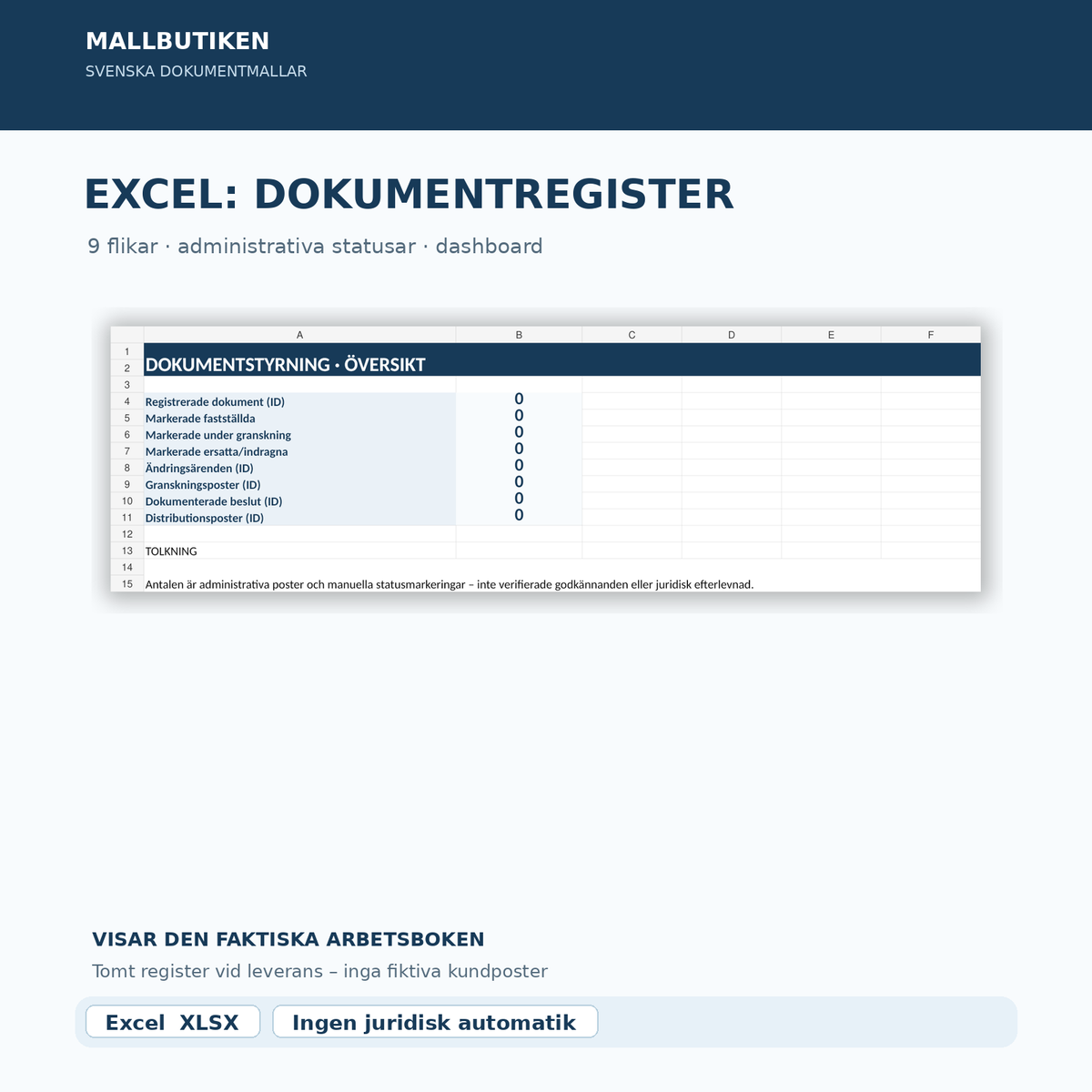
Document control instructions, document card, change request, review and approval protocol, publication and distribution protocol, two guides, and an Excel register with nine tabs. The Excel file contains separate registers for documents, changes, reviews, decisions, distribution, and archiving, as well as a summary dashboard.
File by file – concrete content
| Document | Function | Language/format |
|---|---|---|
| Document control instructions | Roles, document lifecycle, and rules for drafts, approval, and withdrawal | Swedish · DOCX/PDF |
| Document card and classification sheet | Document ID, owner, version, information classification, and next review | Swedish · DOCX/PDF |
| Change request and impact assessment | Change proposal, consequences, dependencies, and decision process | Swedish · DOCX/PDF |
| Review and approval protocol | Separate assessments, authority, decision reference, and deviations | Swedish · DOCX/PDF |
| Publication, withdrawal, and distribution protocol | Current version, recipients, previous versions, and publication control | Swedish · DOCX/PDF |
| Swedish user guide | How the templates are used and how the workflow is completed | Swedish · DOCX/PDF |
| English User Guide | Instructions in English for the Swedish templates | English · DOCX/PDF |
| Excel – document control register | Document ID, versions, manual status selections, change requests, review, decisions, distribution, archive assessment, and numerical overview | Swedish · XLSX |
How the Excel workbook works
The workbook has nine tabs: Document Register, Change Requests, Reviews, Decisions, Distribution, Archive & Disposal, Read Me, Lists, and Dashboard. The dashboard counts registered IDs and certain manually entered statuses. The spreadsheet does not make decisions, check authority, remove files automatically, or calculate statutory deadlines. No macro is required.
Practical workflow
- Give the document a unique ID and appoint a document owner.
- Specify the current version and classify information and access.
- Register the change request and review the consequences separately.
- Document the actual review, authorized decision-maker, and approval.
- Publish only the approved version and check that previous versions are no longer actively used.
- Archive, retain, or dispose of according to the rules applicable to that specific document type.
Legal and practical limitations
Version status is not legal approval. A note such as “Approved” in Excel indicates an administrative task, not that the right person has made a valid decision. The templates do not create electronic signatures.
Personal data: If the register contains personal data, GDPR principles such as data minimization and storage limitation apply, among others. Limit such data and assess appropriate retention according to the purpose of processing. See the Swedish Authority for Privacy Protection's guidance.
Archiving: There is no general seven-year rule for all governing documents. The Accounting Act's specific retention rules apply to accounting information for entities subject to accounting requirements; see the Accounting Act (1999:1078), Chapter 7. Other documents may be subject to other requirements.
Questions and answers
What is document control?
Document control means that routines, instructions, and other governing documents are given a clear identity, owner, version number, review, and approval so that users can find the current version.
What is the difference between review and approval?
Review means that the content is checked. Approval or confirmation is a separate decision by an authorized function. The templates have separate fields for both steps.
Is an Excel status a valid decision?
No. Excel marks a manually registered status. Decisions and authority must be checked according to the organization's decision-making process and with appropriate decision-making documentation.
Can I use this for ISO 9001?
As practical documentation support, yes. The package does not contain protected standard text, does not constitute certification, and does not guarantee that a management system meets all requirements of the standard.
What languages and formats are included?
Five Swedish work documents and a Swedish guide, as well as an English user guide. All seven are available as Word and PDF. The Excel register is in Swedish. The English guide is not an English version of the main templates.
Are documents deleted automatically when they are withdrawn?
No. Withdrawal means that the document version is no longer to be actively used. Archiving and any disposal must be handled and documented separately.
Related templates
Describe the workflow itself with Process Mapping & Process Description. For separate review of the management system, see ISO 9001 Internal Audit.
Product version and source review
Version 1.0 · source control completed October 29, 2026 (AI-assisted review). Swedish organizational use. No external legal review or certification has been performed. The digital ZIP is delivered only after the product has been activated and a working file link has been established in Shopify Digital Products.