Svenska Dokumentmallar
Signature Policy & Signature Log 2026/2027 – Electronic signature, formal requirements and evidence | Word/PDF/Excel
Signature Policy & Signature Log 2026/2027 – Electronic signature, formal requirements and evidence | Word/PDF/Excel
- File format
- DOCX, PDF, XLSX
- Document language
- Five Swedish working documents Swedish User Guide and English User Guide
- Number of files
- 7
Digital download. No physical product is shipped.
Couldn't load pickup availability
About this template
Signature Policy for Electronic Signatures – Word, PDF and Excel
Which agreements can your organisation sign digitally? How should identity, signing authority, the choice of signature service, formal requirements and evidence of signing be documented? This template package helps businesses and organisations implement a clear signature policy and maintain a practical signature log without confusing internal administrative status with legal validity.
Common usage scenarios: electronic corporate agreements, signature requests, verifying who is authorised to sign, evidence logs, handling incorrect file versions and documentation for new signatures. The package includes templates – not a signature service, e-identification or certificate issuance.
01. Package Contents
15 files in total: 7 Word files (DOCX), 7 corresponding searchable PDF files and 1 Excel workbook (XLSX) with nine tabs. Includes five Swedish working documents, a Swedish user guide and an English User Guide. The main templates are not translated into English.
Version: 1.0, 2026 · Jurisdiction: Sweden / EU eIDAS Regulation · Format: DOCX, PDF, XLSX · Delivery: digital ZIP download after the download file has been linked in the store.
02. What the Files Contain – Document by Document
Each Word file has a separate PDF version. The filenames below correspond to the actual delivered files.
| No. | Document | Function and Scope | Format |
|---|---|---|---|
| 01 |
Signature Policy for Electronic Signatures 01_Signature_Policy_Electronic_Signatures.docx 01_Signature_Policy_Electronic_Signatures.pdf |
Internal policy for risk, document classes, signatory control, evidence, data protection and liability | DOCX / PDF |
| 02 |
Checklist for Formal Requirements and Signature Level 02_Formal_Requirements_and_Signature_Level.docx 02_Formal_Requirements_and_Signature_Level.pdf |
Verification of special rules, signature type, document format, authorisation and red flags | DOCX / PDF |
| 03 |
Signature Request and Approval 03_Signature_Request_and_Approval.docx 03_Signature_Request_and_Approval.pdf |
Request details, signatories, version, attestation and permission to send | DOCX / PDF |
| 04 |
Signature Record and Evidence Log 04_Signature_Record_Evidence_Log.docx 04_Signature_Record_Evidence_Log.pdf |
Actual signing event, file integrity, verification result, evidence and archive reference | DOCX / PDF |
| 05 |
Deviation and Re-signing 05_Deviation_and_Re-signing.docx 05_Deviation_and_Re-signing.pdf |
Incorrect recipient, formal requirements, changed file version and corrective actions | DOCX / PDF |
| 06 |
Swedish User Guide 06_User_Guide_SV.docx 06_User_Guide_SV.pdf |
Step-by-step, legal boundaries and four realistic use cases | DOCX / PDF |
| 07 |
English User Guide 07_English_User_Guide.docx 07_English_User_Guide.pdf |
English explanation of the use of the Swedish templates and legal limitations | DOCX / PDF |
| 08 |
Excel Register – Nine Tabs 08_Signature_Evidence_Log_Register.xlsx |
Overview, documents, cases, signatories, authorisation, verifications, deviations, decisions and instructions | XLSX |
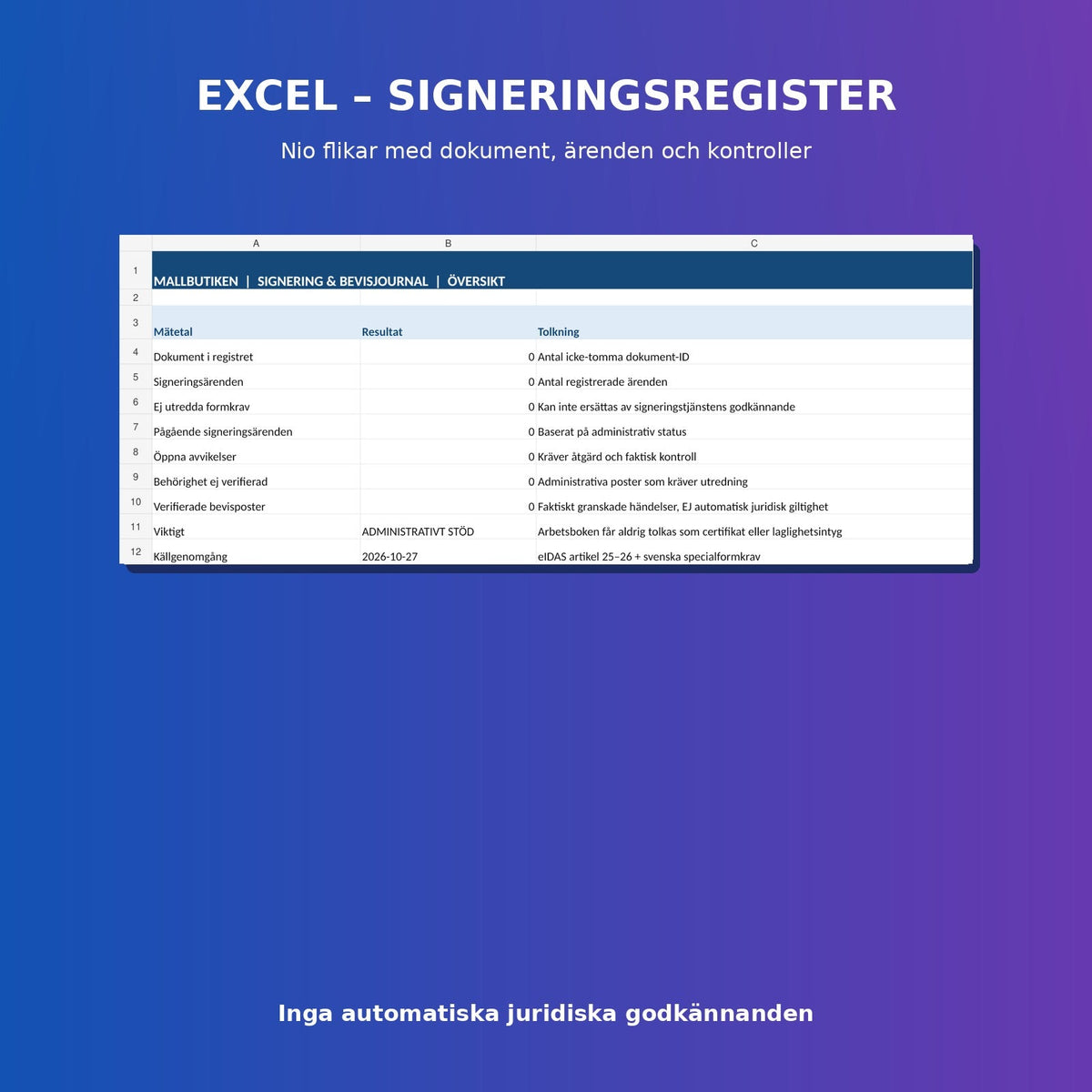
The Excel Tool – Nine Tabs for Actual Follow-up
The workbook includes Overview, Document Register, Signature Cases, Signatories, Authorisation, Verification Log, Deviations, Decisions and Read Me. It has drop-down menus for relevant administrative status values and formulas for summarising documents, cases, open deviations and verifications. An entry marked as “Completed (admin)” or “Evidence reviewed” does not in itself mean that the signature is legally valid.
How to Use the Templates
- Determine the organisation's responsibilities, risk levels and scope in the signature policy.
- Review the formal requirements for each document type, the signatories' authorisation and the choice of signature level before sending.
- Complete the signature request with the document version, parties and internal attestation.
- Let an actual signature service perform the signature – Word/PDF files cannot do this themselves.
- Document the actual evidence of signing and verify that the correct version has been signed.
- Handle deviations, re-signing and any legal assessments separately. Follow up on events in Excel.
Legal Basis and Formal Requirements
According to eIDAS Regulation (EU) No 910/2014, Article 25.1, an electronic signature may not be denied legal effect or evidentiary value solely on the grounds of its electronic form or because it is not qualified. However, this does not mean that all electronic signatures or all types of legal acts are automatically valid. According to Article 25.2, a qualified electronic signature shall have the equivalent legal effect of a handwritten signature. Article 26 sets out the requirements for advanced electronic signatures.
Important Exceptions: Specific Swedish legislation, administrative procedures, witnessing, the correct signatory and other formal requirements must be checked for each document. For example, the Swedish Companies Registration Office states that a digitally signed annual report requires an advanced electronic signature. Wills are subject to special formal and witnessing rules in Chapter 10 of the Swedish Inheritance Code and should not be handled through a generic signature workflow.
A BankID login, a scanned signature field and a qualified electronic signature are not automatically the same thing. Assess the method and check the service provider's actual status against the official trusted lists when necessary.
When Is Individual Advice Required?
For wills, original property law documents, special administrative formal requirements, international agreements, disputes, questioned signing authority or high financial value, a separate legal and technical assessment is normally required. The policy is an internal decision-making and documentation aid, not a legal guarantee or government-approved signature service.
Common Questions About Digital Signatures
Is Every Electronic Signature Legally Valid?
No. eIDAS protects against certain general objections based on the electronic form of the signature, but the formal requirements of the act itself, the signatory's authorisation and evidence may still be decisive.
Is BankID Always a Qualified Electronic Signature?
No. Qualified status cannot be assumed solely because BankID is used for identification. It depends on the actual signature solution and fulfilment of the eIDAS requirements.
Can I Sign a Will Using This Template?
No, this package is not designed to meet the special formal requirements of a will. Seek specialist advice and check current legislation.
Does the Excel Register Create Legally Valid Signatures?
No. It records administrative events and references to actual evidence but does not issue electronic signatures or certificates.
Is the Package Fully Bilingual?
No. Five working templates are in Swedish, and there is a Swedish and an English user guide.
Related Document Templates
For an agreement that may need to be signed: Non-Disclosure Agreement (NDA). For a change of contracting party: Change of Party Agreement and Assignment of Agreement. For governance and decision-making order: Board Rules of Procedure and CEO Instructions. See also the Template Store FAQ.
Official Legal Sources and Version Information
- EUR-Lex – eIDAS 910/2014, especially Articles 25–26
- PTS – Qualified Electronic Signature
- Swedish Companies Registration Office – Signing the Annual Report
- Chapter 10 of the Swedish Inheritance Code – Formal Requirements for Wills
Document version 1.0 · Source review 27 October 2026 · AI-assisted review of completed templates and four usage scenarios. No external review by a lawyer or legal counsel has been performed. Check laws and administrative requirements before actual use.