Svenska Dokumentmallar
Control panel in production cell – push-button station, functional test and safety boundary definition | Word/PDF/Excel
Control panel in production cell – push-button station, functional test and safety boundary definition | Word/PDF/Excel
- File format
- DOCX, PDF, XLSX
- Document language
- Five Swedish work templates Swedish guide English User Guide; Excel workbook in Swedish
- Number of files
- 7
Digital download. No physical product is shipped.
Couldn't load pickup availability
About this template
Do you need to add a new push-button station to an existing production cell or move control functions from the HMI to a local panel? The package helps automation, production, maintenance, and machine personnel document change requirements, check risk boundaries, define functional requirements, collect actual test evidence, and hand over to operations. It is a documentation aid, not a PLC solution, a technical safety certificate, or an automatic approval to start the machine.
Quick facts: 15 files: seven editable DOCX files, seven corresponding searchable PDFs, and one XLSX workbook with nine tabs. Five Swedish working documents, a Swedish guide, and an English User Guide. The PDF files are printable but not interactively fillable. Excel and the main templates are in Swedish. Software for DOCX, PDF, and XLSX is required. Digital ZIP download.
01 · Package Contents
Five Swedish working templates: change request, functional matrix, risk and safety interface, functional test with deviations, and commissioning/handover decision. Also a Swedish guide and English User Guide. All seven are available in DOCX and corresponding PDF, totaling 14 document files. An XLSX workbook is also included as file number 15.
02 · What the Files Contain
Fields for machine/cell ID, panel ID, function, current and proposed operation, risk decision, requirements reference, actual observation, deviations, retesting, technical reviewer, and version-controlled document handover. Excel displays counted cases and administrative statuses but does not calculate safety performance or legal compliance.
Who Is the Template For?
Example A: An industrial company wants to install local START, STOP, and RESET controls on an existing production cell and needs to track the change request, I/O testing, and operator instructions. Example B: A maintenance team is modifying a push-button station and wants to ensure that safety functions have been assessed separately before operations takes over.
Choose a different resource for designing emergency stops or safety PLCs, electrical wiring diagrams, PLC programming, a complete machine CE process, validating the performance level of safety functions, or general machine maintenance procedures. Use expert competence for actual installation, risk analysis, and safety systems.
Exact File List
| Document | Practical Function | Language | Format |
|---|---|---|---|
| Change Request | Machine ID, changed commands, and assessment of regulatory compliance | Swedish | DOCX + PDF |
| Control Device Functional Matrix | START, STOP, RESET, door opening, and cycle stop with separate requirements | Swedish | DOCX + PDF |
| Risk Assessment and Interface | Unintended start, protection, reset, and expert testing | Swedish | DOCX + PDF |
| Functional Test and Deviations | Test plan, actual observations, retesting, and technical reviewer | Swedish | DOCX + PDF |
| Commissioning and Handover | Checklist, original evidence, and administrative lock/handover decision | Swedish | DOCX + PDF |
| Swedish User Guide | Step-by-step usage, risk boundary definition, and source support | Swedish | DOCX + PDF |
| English User Guide | Instructions for Swedish forms; not English-language legal documents | English | DOCX + PDF |
| Excel – Change Log | Nine tabs, filters, data validation, and administrative status counters | Swedish | XLSX |
The Word versions can be edited. The PDF versions are searchable and printable, without interactive fields. The English guide is an instruction for the Swedish working templates, not a translation of them.
Excel in Practice – Which Functions Work?
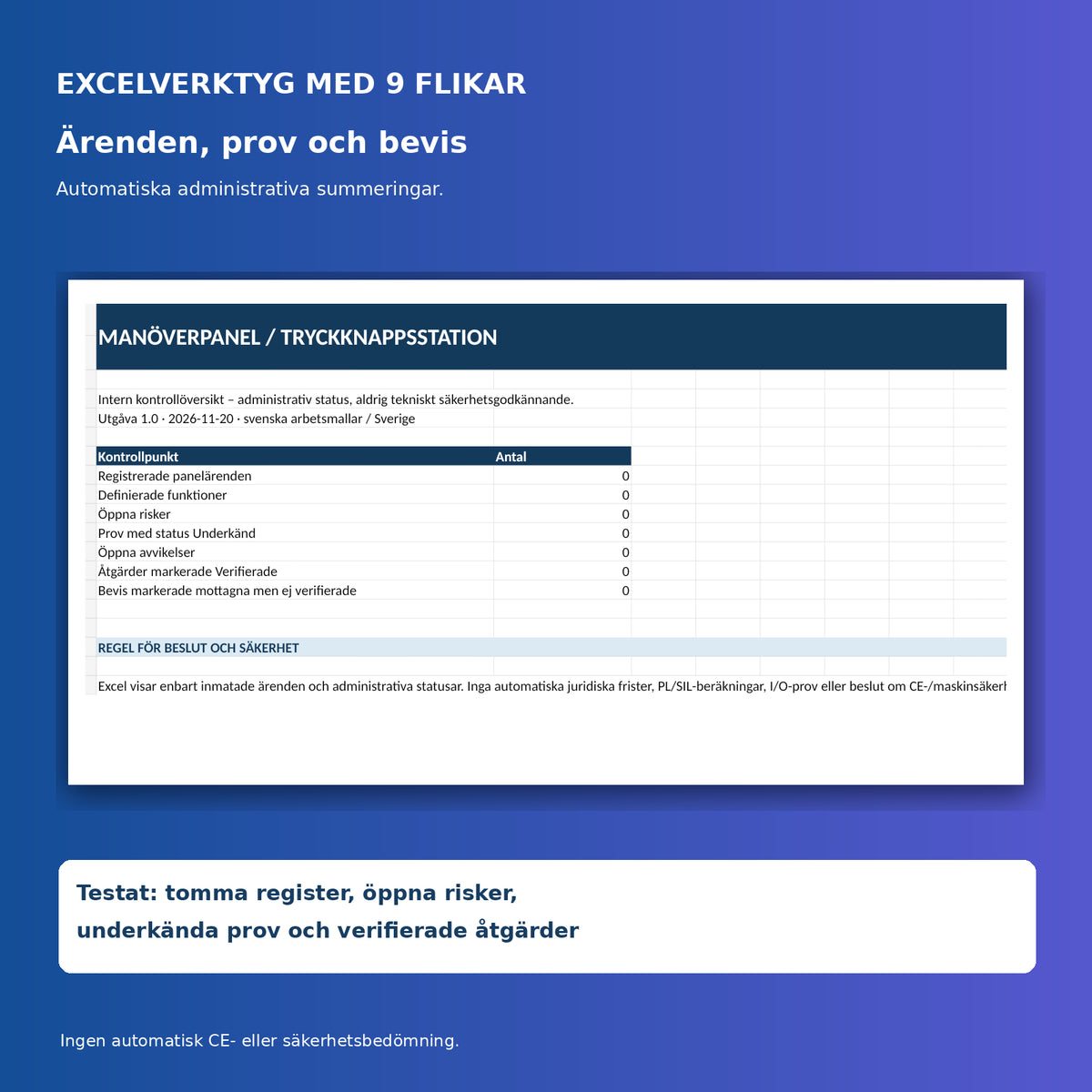
The workbook has the tabs Overview, Panels, Functions, Risks, Test, Deviations, Actions, Evidence, and Read Me. All logs have columns for their own references and filtering; relevant status fields have data validation. The Overview summarizes registered panels, functions, open risks, failed tests, open deviations, verified actions, and received but unverified evidence.
The formulas have been tested with a fictitious case in each log (all seven summaries showed 1) and after clearing (all showed 0). There is no test person data in the customer file. Excel does not perform CE assessment, PL/SIL calculation, control system validation, legal deadline calculation, or actual technical testing.
Step-by-Step Workflow
- Identify the existing cell, change requirement, responsible person, and latest technical document version.
- Separate production functions from protection/safety functions and identify the impact of the change.
- Have a competent responsible person establish risk and legal boundaries before installation.
- Describe each control device, its intended effect, and the conditions for activation.
- Perform expertly planned tests; document the actually observed result and deviations.
- Remediate, retest, and verify critical deviations before any commissioning decision is made.
- Hand over updated instructions, drawings, revision ID, and separate technical approval, and archive the evidence.
Legal Prerequisites and Safety Boundaries
AFS 2023:11 on the safe use of work equipment includes, among other things, the use of and requirements for control devices, start, stop, and safety functions (see Chapter 2 and Annex 1). AFS 2023:4 on products – machinery contains the Swedish product regulations applicable as of the date of this edition. Regulation (EU) 2023/1230 will mainly begin to apply on 20 January 2027. It contains provisions on substantial modification, including in Article 3 and Article 18, but a certain panel modification does not automatically constitute such a modification. Also read The Swedish Work Environment Authority's guidance on the new Machinery Regulation.
Important: A RESET device, a cycle stop, a normal stop, and an emergency stop are not interchangeable functions. A receipt must not be treated as a safe start command without separate risk and design testing. Safety-related design, control, control body when applicable, manufacturer documentation, and actual operating conditions must be assessed by the appropriate expert. A completed document never creates CE marking or verified safety.
Which Nearby Package Should You Choose?
To test whether a change can change the manufacturer's responsibility: Substantial Machine Modification and CE Boundary Definition. For safety PLC modification: Safety PLC – Program Change and Restart Test. For backing up an existing control system: PLC/HMI – Backup and Readback Test.
Frequently Asked Questions
Can a new start button be installed on an existing production cell?
It depends on the machine, change, and risk profile. Change and risk assessment, as well as the correct technical competence, are required; the template itself provides no installation or start approval.
Are cycle stop or hold the same as emergency stop?
No. A normal process stop and a safety function have different purposes and must be tested separately based on the equipment's risks and applicable regulations.
Is the RESET button allowed to start the machine at the same time?
It must not be assumed. Reset and start must be risk assessed and functionally checked based on the machine's protection and applicable requirements.
Does every panel change require new CE marking?
No, not automatically. The actual change and the product regulation applicable at the time must be assessed separately by a competent responsible person.
Can Excel certify that the safety function is approved?
No. Excel is only a case and evidence log. Actual verification and legal assessment must be done separately.
Are the Swedish templates translated into English?
No. Only the English User Guide is in English; the working templates and Excel are in Swedish. The PDF versions are not interactively fillable.
Version, Sources, and Transparent Review Status
Edition 1.0. AI-assisted check of official sources and actual files: 20 November 2026. Sources: AFS 2023:11, AFS 2023:4, EU 2023/1230, and The Swedish Work Environment Authority's guidance. After eventual publication, file linking, test purchase, and control of public catalog content remain.