
Energy labels for smartphones and tablets in online shops – EPREL checklist
A practical guide to smartphone energy labels, product information sheets and EPREL checks for online retailers.

Do you sell smartphones or slate tablets online? For covered models, customers must be able to access the correct energy label and product information sheet before ordering. Check the exact model, supplier information and the actual desktop and mobile display. An EPREL link alone does not necessarily meet the detailed display rules.
Which products are covered?
Delegated Regulation (EU) 2023/1669 applies from 20 June 2025 to covered smartphones and slate tablets placed on the EU market. Not every device commonly called a tablet is covered: tablet computers fall under a different definition. Check the specific exemptions, including some flexible displays and secure-communication smartphones. Ecodesign Regulation 2023/1670 deals with separate, related obligations.
Supplier and dealer responsibilities
Suppliers must provide an electronic energy label and product information sheet and enter required model data in EPREL. Dealers must display the label and sheet when selling online under Article 4 and Annex VIII. Importers and own-brand sellers should assess whether they qualify as suppliers rather than merely dealers.
Online-store decision matrix
| Selling a covered model | Match the supplier's model identifier, label and product sheet | Compare SKU with EPREL and test the page |
| Price and ordering available online | Show the label near the price, directly or through compliant nested display | Test first interaction by mouse and touch |
| Advertising a specific model | Show the efficiency class and class range under Annex VII | Review banners and promotional copy |
Seven practical checks
- Confirm that the item is a covered smartphone or slate tablet and check its market-placement context.
- Request the model identifier, electronic label, product information sheet and EPREL reference.
- Match each shop variant to the correct model; do not assume labels are interchangeable.
- Place the label close to the price; nested displays must follow Annex VIII and open on the first relevant interaction.
- Make the product information sheet accessible in the required manner and test product and comparison pages.
- Review model-specific advertising and technical promotional materials separately.
- Record screenshots, date, model, source documents, test results and owner; retest after theme or app updates.
Two practical cases
Example 1
An online retailer sells two storage variants of a phone. Before assigning one label to both, it verifies that the model information covers each variant, then checks the mobile product pages.
Example 2
An energy class arrow appears beside the price but fails to open the label on touchscreens. The retailer fixes the Annex VIII interaction and records a new acceptance test.
Common mistakes
Common errors include assuming every tablet is covered, reusing the wrong model's label, hiding information far from the price, confusing supplier registration with dealer display duties, and overlooking advertisements or mobile display.
Frequently asked questions
Must every retailer register its models in EPREL?
Not necessarily. Registration follows the supplier role; dealers still have separate display duties. Reassess your role when importing or selling under your own brand.
Is showing the letter A enough?
No. Annex VIII specifies how the energy label and product information sheet must be presented online.
Does a telephone ordering option count?
The Commission's guidance indicates that an order option can trigger distance-selling duties even without a basket button.
Should a Shopify theme update be tested?
The law does not mandate Shopify or a specific testing form, but rechecking display after changes is sound evidence of operational control.
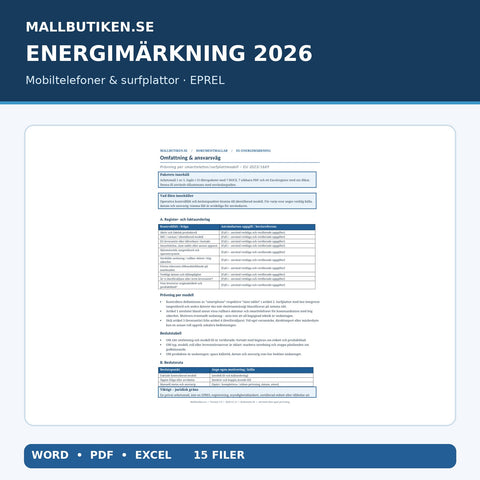
For practical implementation, see our EPREL document pack for smartphones and tablets – Word/PDF/Excel with checklists for energy labels, product information sheets and Shopify display tests. These templates do not replace supplier EPREL data or a real storefront check.
Sources and review date
- EU 2023/1669 – Articles 3–4, Annexes VII–VIII
- European Commission – smartphones and tablets
- European Commission – distance selling Q&A
Checked against EU legal texts and Commission guidance on 11 November 2026. General information, not individual legal advice; review the consolidated rules and your role.
Templates in this article
Explore the topic
 Business guides – contracts, HR, AI & compliance
EU tyre labels 2026 – EPREL, price display and online sales
A tyre shop sells C1, C2 and C3 tyres online. Regulation (EU) 2020/740 requires the correct tyre label close to the price and access to the product...


